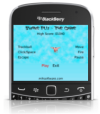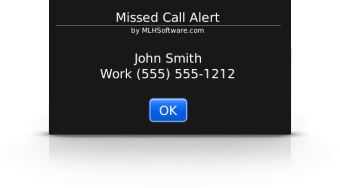
Missed Call Alert detects missed phone calls and creates a recurring audible alert based on active profile settings.
Missed Call Alert seamlessly integrates with the sound profiles and options of your BlackBerry® smartphone.
Once installed, you should navigate to your sound profiles to configure "Missed Call Alert" audible alert details to your personal preferences. Navigate to your BlackBerry® Options screen to set your alert frequency. Choose for the alert to repeat every 30 seconds, 1 minute, 2 minutes, 5 minutes, 10 minutes, or 15 minutes.
Note: Missed Call Alert does not create an application icon, it integrates with the profiles and options icons of your BlackBerry® Smart Phone
When prompted for application permissions, you must Allow Missed Call Alert to access phone information.
There are two places for configuring Missed Call Alert.
To change the frequency of the alert:
To change the alert tone settings:
(Note: you might want to change "Out of Holster" from none)
To change the alert tone settings for BlackBerry® Storm™:
(Note: you might want to change "Out of Holster" from none)

|
Help Page |

|
Download 7 day free trial |

|
Add to cart |
BlackBerry® Requirements:
Available for BlackBerry® smartphones with OS v4.2.1 or higher, with a trackball, trackpad or SurePress™ touch screen.
Including: